
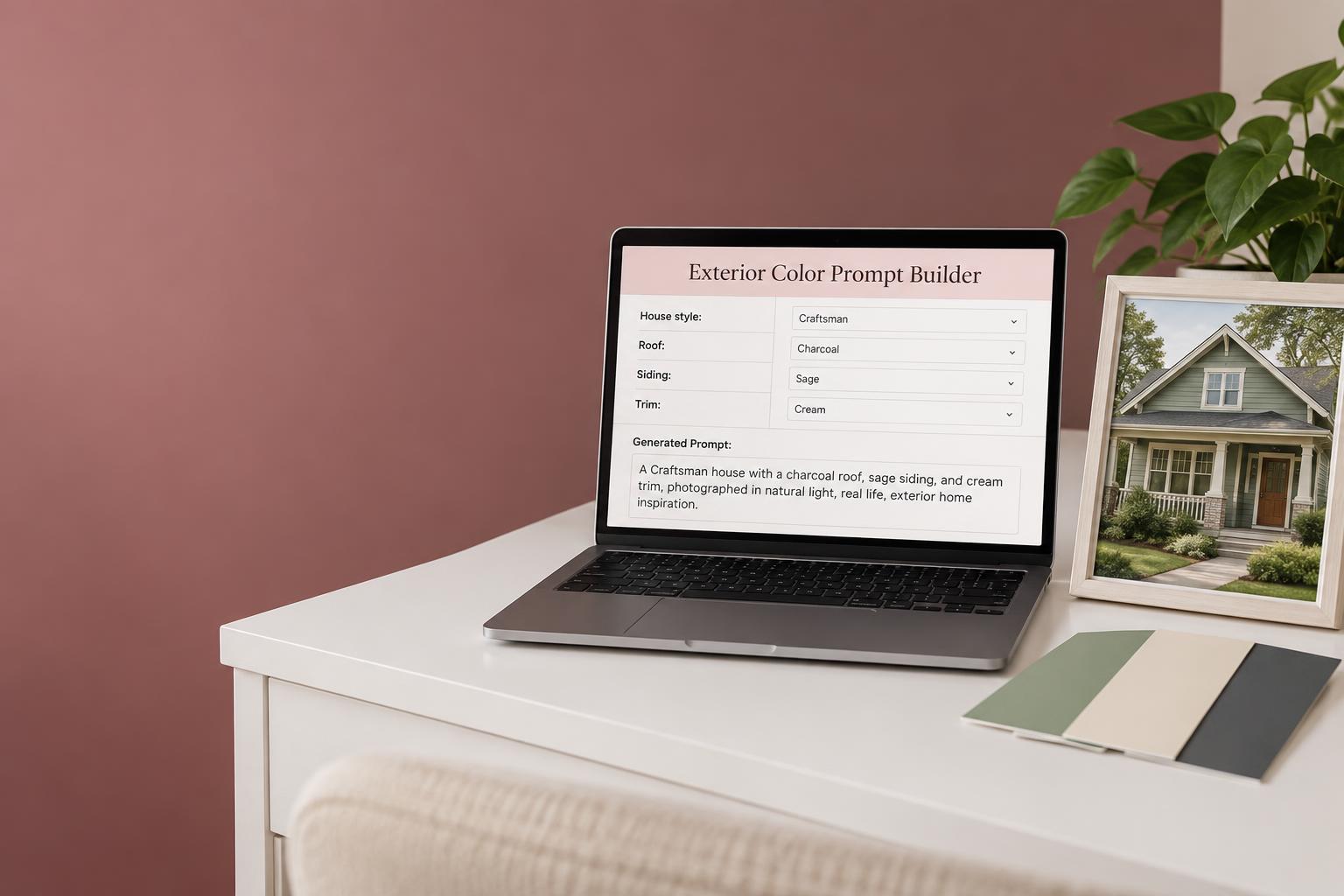
A little clarity before the color
Exterior Color
AI Prompt Builder
Your home. Your colors. A better starting point.
Upload a photo of your home to ChatGPT, then paste a prompt from your Excel or Google Sheets builder to try different exterior colors. Explore siding, trim and front door combinations on your own home with ChatGPT’s image tools, when available.
Get the AI Prompt BuilderOnly $1.99 — includes the Exterior Paint Planner FREE with purchase.
From “where do I start?” to “let’s try this”
Beautiful ideas begin with better questions.
Your roof, your architecture, your taste. They all belong in the prompt. Pair it with a photo uploaded to ChatGPT to explore different exterior colors on your own home — not just someone else’s inspiration picture.
Start with your home
Upload a photo of your home directly to ChatGPT, then use your spreadsheet prompt to explore new colors while keeping the details you love.
Make it feel like you
Bring your favorite colors and the mood you love into the conversation — calm, classic, coastal or something a little bolder.
Ask for a complete palette
Try different siding, trim and front door combinations on your home photo with ChatGPT’s image tools, when available.
Make your next color decision feel easier
Ready to see a fresh look for your home?
Get the Exterior Color AI Prompt Builder and turn your home details into a more personal starting point. Pair your prompts with a photo in ChatGPT to explore different siding, trim and front door colors before you pick up a paintbrush.
- For Excel and Google Sheets
- Prompts tailored to your home and color preferences
- Use with your home photo in ChatGPT
- FREE bonus: Exterior Paint Planner
Instant download · Excel and Google Sheets · one-time payment
From spreadsheet to inspiration
Add your home details
Start with the architecture, existing finishes and colors you love.
Upload your photo to ChatGPT
Attach a clear exterior photo in ChatGPT, then paste the prompt from your spreadsheet into the same conversation.
Try different exterior colors
Ask ChatGPT’s image tools to preview different palettes on your photo, keeping the house itself unchanged. Compare the ideas, then test real paint samples.
One photo. One prompt. A whole new look.
See the transformation before you paint.
This is the kind of preview you can create: upload a photo of your home to ChatGPT, paste a prompt from your builder, and ask to see new siding, trim and door colors on your own house.
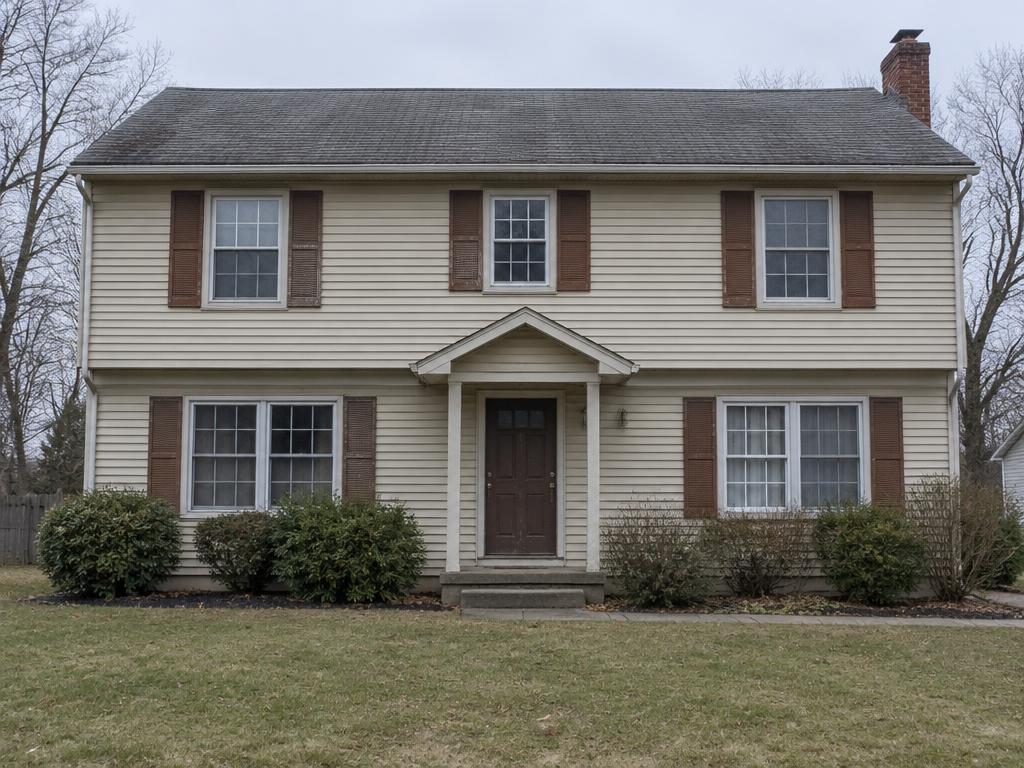
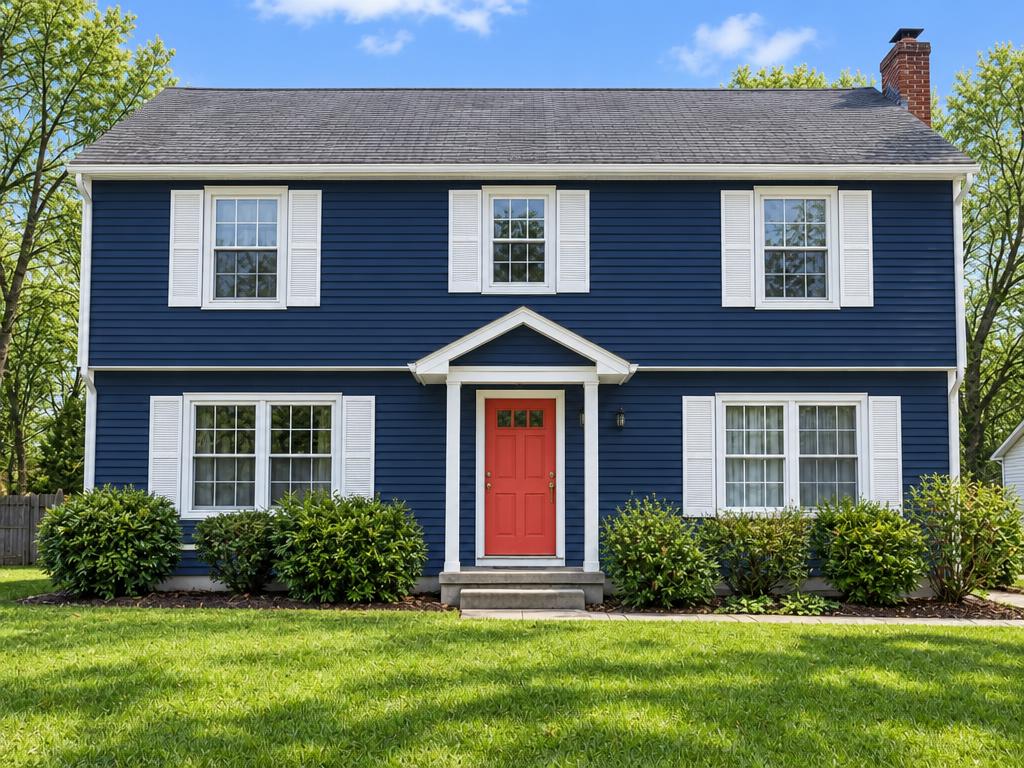
Illustrative AI-generated example. Your results will vary with your photo, your prompt and your ChatGPT account’s image tools.
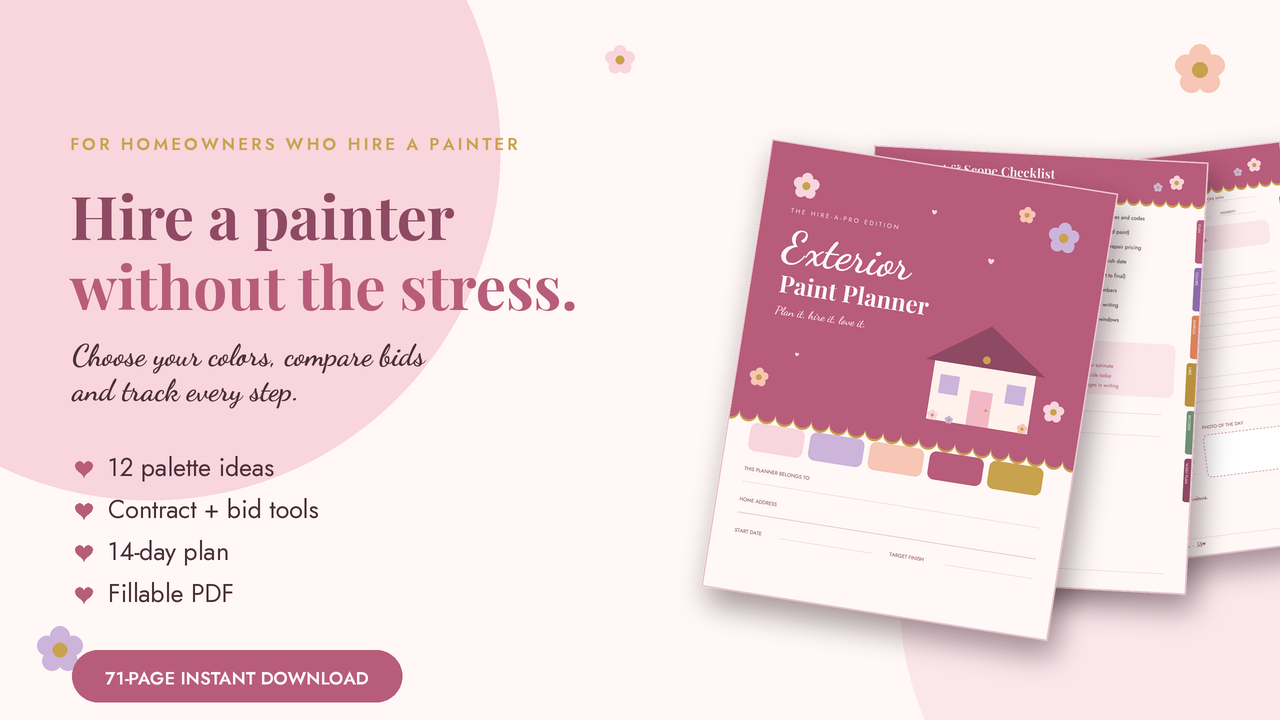
Your free purchase bonus
Love your colors.
Now plan the project.
Purchase the AI Prompt Builder and receive the Exterior Paint Planner FREE — at no additional cost.
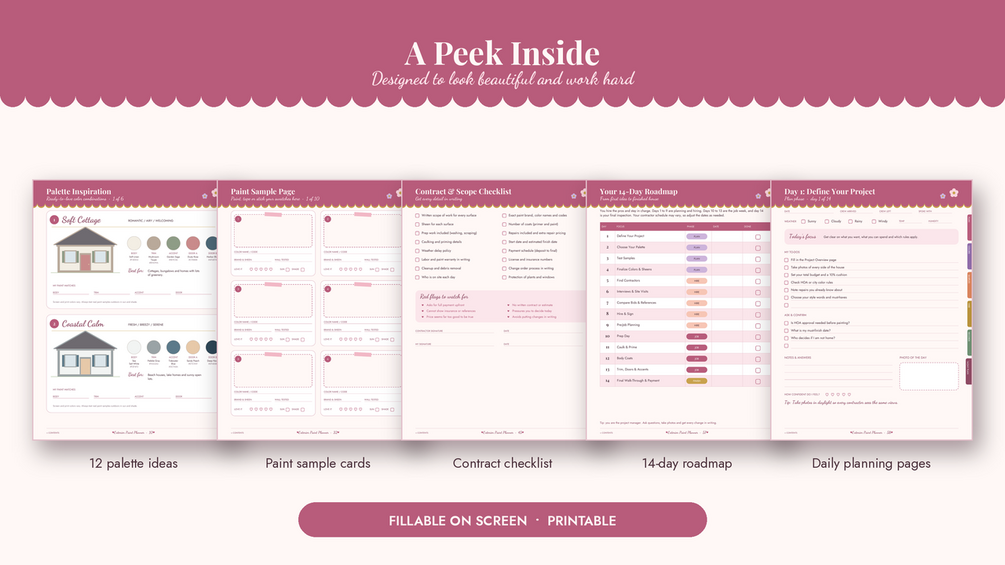
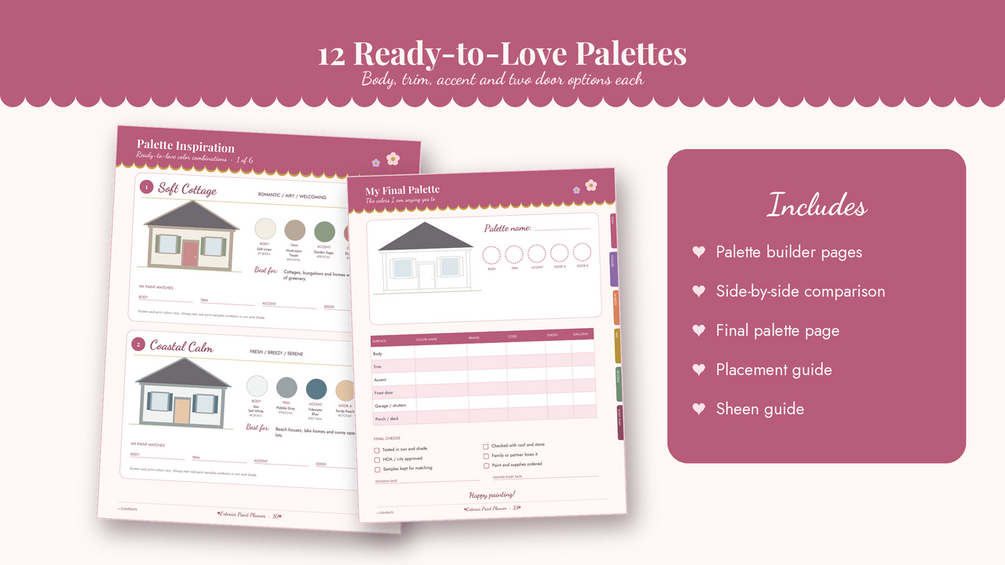
Turn your color inspiration into an organized painting project with the 71-page fillable and printable PDF: palette planning, paint sample tracking, contractor bid comparisons, budget and payment tracking, and a 14-day project plan.
Get the builder + free planner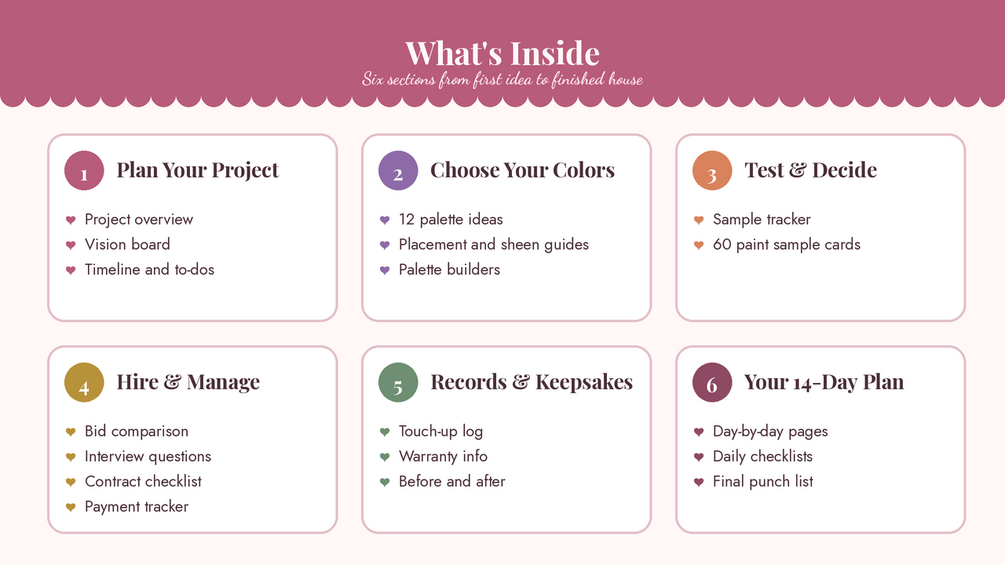
A few things worth knowing
Is this a spreadsheet or an AI app?
It is a prompt-building spreadsheet for Excel and Google Sheets. ChatGPT is used separately; the spreadsheet is not a direct ChatGPT integration.
Is the planner really included for free?
Yes. Purchase the AI Prompt Builder and the 71-page Exterior Paint Planner is included as a free bonus, at no additional cost. This offer applies to the Prompt Builder purchase; the planner is also sold separately.
Will ChatGPT choose my final paint colors?
Treat its suggestions as inspiration, not a final specification. Verify any branded paint names and codes, and always sample real paint in different light before committing.
Can I try colors on a photo of my own home?
Yes — upload your photo directly to ChatGPT and paste your spreadsheet prompt into the same conversation. Ask for different siding, trim and front door colors while preserving your home’s architecture and existing roof. Photo uploads and image editing depend on the tools and limits of your ChatGPT account; the spreadsheet itself does not upload or edit images. AI previews are illustrative and may alter details or display colors inaccurately.
Your next exterior transformation starts here.
A little inspiration. A home that feels like you.
Get the AI Prompt BuilderProduct image is an AI-generated illustration, not an actual spreadsheet screenshot. Excel, Google Sheets and ChatGPT are trademarks of their respective owners. Blush & Brush is not affiliated with them.